
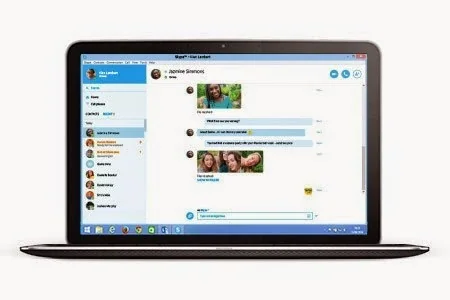
Microsoft announced Skype for Web in November 2014 as a browser-based way to use Skype messaging and calls without installing the full desktop app. The beta began with a limited rollout and used a small browser plug-in for voice and video calls. This article is a product-history retrospective: Skype itself retired on May 5, 2025, so the original beta instructions and web address should not be used as current setup advice.
Why a browser version mattered
At the time, a web client could make it easier to sign in from a shared or temporary computer where installing software was inconvenient. Microsoft’s announcement said users could access chats and contacts from Skype.com and described support for selected browsers. The early beta’s plug-in requirement also shows how web communication technology has changed: modern browser capabilities and security policies differ greatly from the standards and plug-ins used in 2014.
A shared computer still creates privacy risks. Signing out does not necessarily erase downloads, browser history, cached files, or saved passwords. Avoid using a public computer for sensitive conversations when possible, do not save credentials, use a private browsing session only as a limited precaution, and sign out fully. Never install a browser plug-in from an unofficial mirror to revive an obsolete service.
Skype’s retirement and transition
Microsoft says Skype was retired on May 5, 2025. The company directed users to Microsoft Teams Free and said that signing in with Skype credentials would transfer contacts and chats for eligible users. Its current retirement information includes conditions and dates that may change; check the live Microsoft Support page for export deadlines, history availability, or remaining paid-service details before acting.
Skype for Business is a separate product and was not included in the consumer Skype retirement notice. Organizations should follow their Microsoft 365 administrator’s migration plan rather than applying consumer Skype instructions. If you need an old Skype chat archive, use Microsoft’s official export or migration process and verify the current deadline before relying on a backup.
What remains useful from the beta story
The 2014 launch reflected a broader move toward browser-based communication, reducing dependence on a locally installed client. Today, web apps still need careful attention to browser permissions, sign-in security, and data retention. When choosing a calling service, check the provider’s supported browsers, privacy controls, encryption statements, and account recovery options. A historical launch article cannot establish the current security or availability of a service.
Read Microsoft’s original Skype for Web beta announcement and the current Skype retirement guide. The first is a 2014 release account; the second governs current consumer transition information.
Related reading: Skype Is Retired: What Former Users Should Know.

