
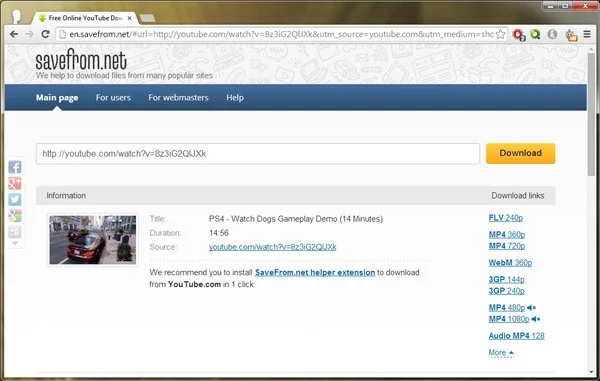
Changing a YouTube URL or adding text to it is not an official way to download a video. Such tricks may stop working, lead to deceptive sites, or expose you to unwanted software. They can also violate a creator’s rights or YouTube’s terms. Use YouTube’s own controls for offline viewing, or download videos that you uploaded yourself through the account tools YouTube provides.
Watch eligible videos offline
YouTube says Premium members in supported locations can download eligible videos for offline playback in the YouTube app on a mobile device. Availability depends on location, account status, and the individual video. The download stays available through the app and may require periodic internet access to verify eligibility. If a video becomes unavailable for offline playback or a membership ends, access can change.
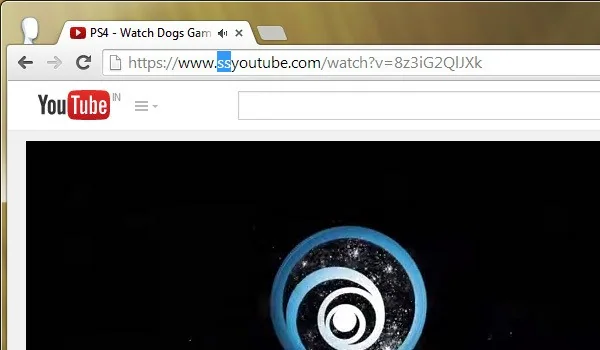
To check whether a video can be saved, use the download control in the official YouTube app while signed in. If the button is absent, that video, device, or region may not support offline saving. Avoid websites or extensions that ask for your Google password, install an unknown program, or ask you to disable browser protections.
Download videos you uploaded
YouTube Help explains that creators can download MP4 copies of videos they uploaded, with available resolution depending on the video. Google Takeout can also export a creator’s uploaded videos. Use the account that owns the channel, and confirm you have enough storage space before starting a large export. Downloading your own upload is different from extracting someone else’s work.
Ask the creator for a copy
If you need a video for a presentation, classroom, or project, check whether the creator offers a licensed file or permission to reuse it. A public YouTube link does not automatically grant permission to redistribute the video. For accessibility or travel, use the platform’s official offline feature where available and respect the creator’s settings.
Keep downloads safe
Do not run downloaded files that claim to be a video but end in an executable extension. Keep your browser and operating system updated, scan unexpected files with trusted security software, and delete installers you did not intend to download. If a download page redirects through multiple ads or asks you to install a codec, close it and return to YouTube directly.
This guide updates an old URL-edit shortcut with supported options. YouTube’s features and eligibility rules can change, so check the current help page in your region.

