
Android 4.4.4 KitKat was a small maintenance release in 2014, but it mattered because it included fixes to software libraries and device-specific changes. Motorola rolled it out to supported Moto models in stages. A report that a rollout had begun did not mean every handset, carrier, or country received the update on the same day.
What a staged rollout means
Phone makers commonly distribute system updates in waves. They can limit an initial release, monitor reliability, and expand availability across markets and carrier variants. As a result, two owners of phones with the same retail name may see an update at different times. Hardware model, region, carrier approval, and the installed software build can all affect eligibility. A rollout announcement is therefore a status update, not a universal promise that every device is already updated.
For the historical 2014 release, Motorola’s update notices and device support materials were the right way to confirm a specific model’s eligibility. The Android Open Source Project’s release and security documentation provides platform context: Android releases can include fixes to underlying components, but device manufacturers and carriers determine how a particular build reaches customers. That division is why a general Android version number does not prove a particular phone has received a particular patch.
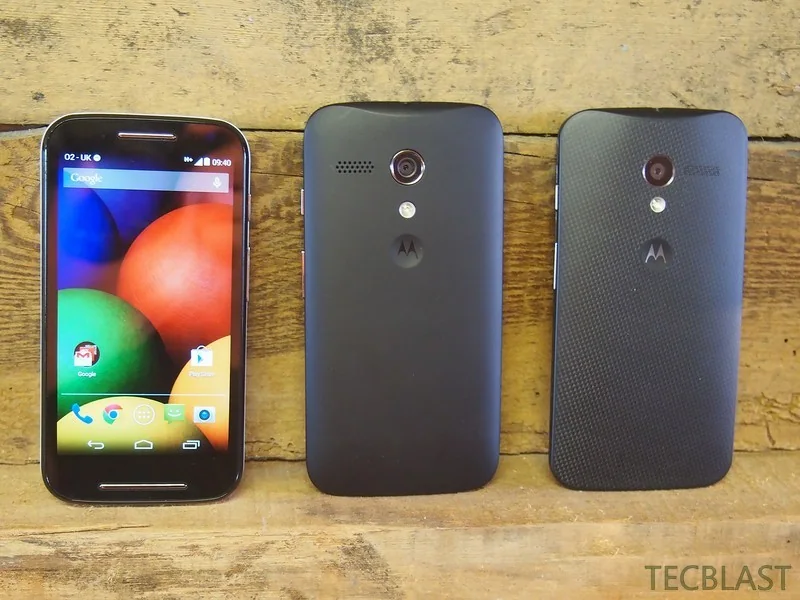
How to check an older Motorola phone
If you are documenting a compatible device for historical or archival purposes, use the phone’s Settings application and check its system update screen. Menu names vary by model and software version, so consult the device’s official manual or Motorola support page rather than following instructions written for another generation. Connect to a trusted Wi-Fi network, charge the phone, and keep personal data backed up before installing any system update. Never install firmware packages from an unknown file-sharing site simply because a search result labels them “official.”
Why this is not a recommendation to run KitKat
Android 4.4.4 is obsolete and should not be treated as a secure version for everyday browsing, financial activity, or accounts containing sensitive information. A device that stopped receiving security updates can remain exposed even if it once received a maintenance release. Google’s Android security documentation explains that updates contain fixes across platform components; the presence of an old version number alone cannot establish that all later vulnerabilities were addressed.
For a currently used phone, check the manufacturer’s present software-support information for that exact model. If security support has ended, move sensitive tasks to a supported device. This article preserves the 2014 rollout context and does not claim that any particular model is still eligible for an update today.
Sources and limits
The AOSP security enhancements reference explains Android’s version-level security work, while Motorola’s current support pages explain how the company handles software updates and model-specific availability. These sources do not establish a complete archived country-by-country rollout timetable for every 2014 Motorola SKU; those details are intentionally not generalized here.

