
Xposed was an Android framework that let compatible modules alter aspects of an app or system without installing a completely different ROM. The original project’s source repository describes its native component as a modified Android app_process binary. That approach operated much deeper in the software stack than a regular app’s settings, which is why old Xposed guides often involved device-specific system changes. The original rovo89/Xposed repository is now archived and read-only, so 2014 instructions should be treated as historical material rather than a current setup guide.
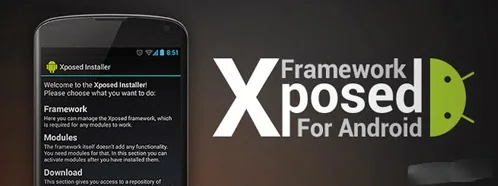
What the framework was used for
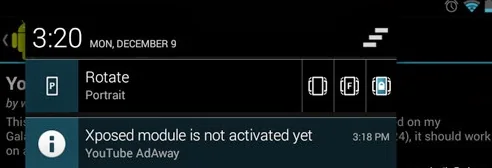
Android users used Xposed modules to change selected system or app behaviours, depending on the framework build, Android release, device, and module. The modular approach was appealing because a user could add or remove individual modifications without replacing the entire operating system. But modules were not interchangeable plug-ins with universal compatibility. A module written for one Android build could fail, conflict with another modification, or stop working after an operating-system update. Features advertised in an old post may also depend on services or apps that have since changed.
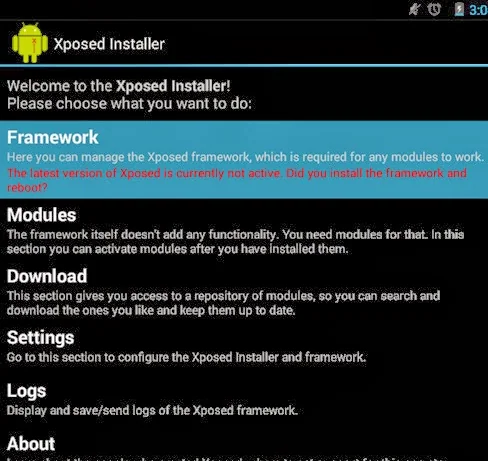
Why old installation steps are risky
System-level modification changes the environment on which Android and installed apps rely. On devices where a method requires bootloader unlocking, Android’s own security documentation explains that unlocking permits system modification and may trigger a factory data reset to protect personal information. The Android Open Source Project also explains that an unlocked device can boot software that is not signed by the original root of trust; software integrity is therefore not guaranteed in the same way as on a locked device. A custom system may not receive the same testing as the manufacturer’s software, and apps can stop working correctly.
The exact process and effects depend on the specific phone and modification method. Do not assume that instructions for an old Nexus device apply to a Samsung, HTC, or newer Pixel phone. Never use an unknown package simply because a forum or download site calls it “official.” Old mirrors may be incomplete, altered, or no longer maintained, and a file name alone cannot establish authenticity.

Check project status and device support
The original Xposed repository shows that the project was archived by its owner on June 1, 2023. An archived source repository can remain useful for understanding a project’s history, but it does not guarantee compatibility with current Android releases or provide active security maintenance. The repository’s status should not be confused with newer, independently maintained projects that may use similar terminology; they have different maintainers and support policies.

Before changing a device, check the manufacturer’s current support information and read the documentation for the exact project and model. Confirm whether the phone still receives security updates, whether unlocking is officially supported, and what data will be erased. Make a separate backup and verify that it can be restored. If you rely on mobile banking, work profiles, payment apps, or sensitive accounts, avoid experimental system modifications on that device.
Safer ways to personalize Android
For ordinary appearance changes, start with built-in wallpaper, display, accessibility, and home-screen settings supported by your phone maker. These options do not require replacing system components. For an app-specific feature, check whether the app already provides a supported setting or whether the developer offers an update. Use the official store for software and remove apps you no longer trust.
Xposed is an important part of Android customization history, but its original project is no longer maintained and the old installation advice is not suitable as current guidance. Learn from the archived source if you are studying Android internals; for a daily-use phone, prefer supported settings and software updates.

