
A file manager can connect to a remote file server, but the available protocols differ by operating system and application. FTP, WebDAV, SMB and SFTP are not interchangeable: they use different authentication and transport mechanisms, and a server administrator must enable the protocol you intend to use. Before connecting, obtain the exact host name, account, permitted folder and preferred secure protocol from the service owner. Do not guess paths or reuse a password from an unrelated account.

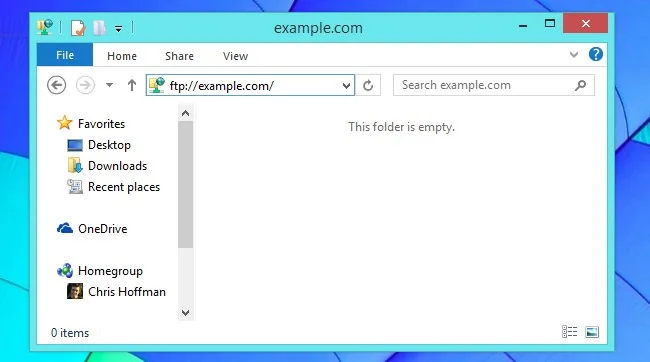
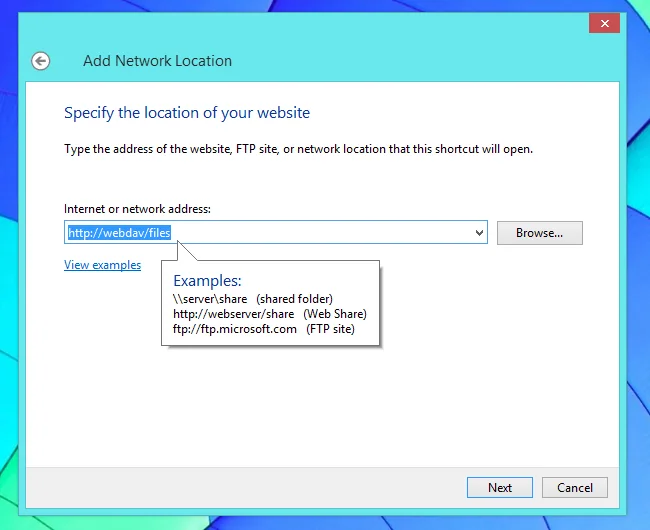
Prefer an encrypted protocol
Plain FTP does not encrypt credentials or file contents in transit. Use SFTP (which runs over SSH) or HTTPS-based WebDAV when the server offers it, and verify the host name and certificate rather than clicking through warnings. FTPS is a separate protocol from SFTP; confirm which one the server supports. On a trusted local network, SMB may be appropriate for shared folders, but use current versions and limit access to named accounts. A browser or file manager’s ability to display a protocol address does not make the connection secure by itself.
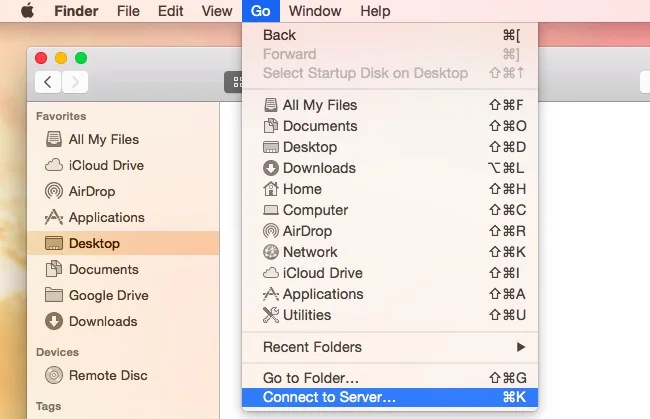
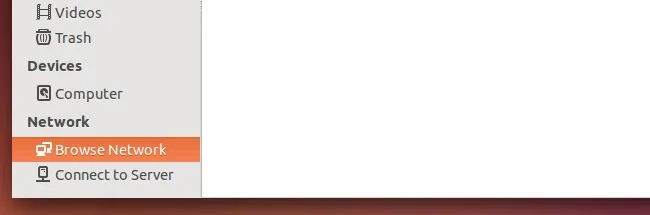
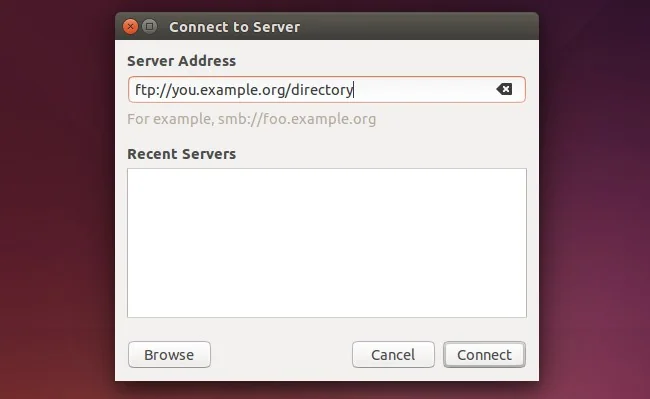
Connect with the file manager
Use the operating system’s “Connect to Server,” network location, or equivalent command and enter the full address supplied by the administrator. Select the correct protocol prefix, provide credentials only in the system’s secure prompt, and save them only on a personally controlled device. If the connection fails, check the server address, network/VPN requirement, account permissions and protocol support. Do not expose a server’s management interface to the public internet to make a file share easier to reach. Ask the administrator to provision the narrowest required access.
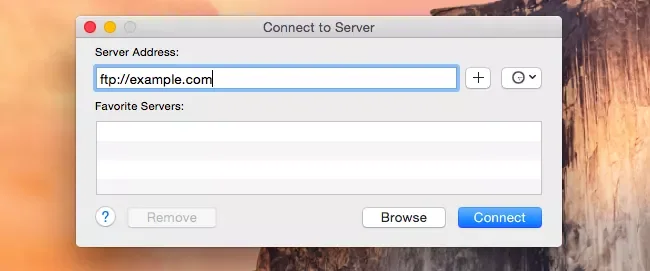
Protect files and credentials
Use a unique password or key for each account, enable multifactor authentication where available, and avoid sending passwords in email or chat. Disconnect from shared machines after use and remove saved credentials when a device is returned or lost. For sensitive data, verify the organization’s retention and transfer rules before copying files locally. Keep the computer and file-transfer client updated, and scan downloaded files before opening them. If a certificate or host-key warning appears unexpectedly, stop and confirm the server identity through a separate trusted channel.
Choose by task
For occasional public downloads, an official HTTPS link is often safer and simpler than FTP. For managed file exchange, use the protocol your provider explicitly supports and follow its current instructions. This avoids stale operating-system screenshots and prevents a protocol mismatch from becoming a security problem.

