
Android 5.0 Lollipop changed how users controlled interruptions and notifications. Instead of the familiar silent-mode behavior on earlier releases, Lollipop introduced priority and interruption controls, including options to silence some or all alerts for a chosen period. The change confused many users because the controls and labels differed from those on older Samsung Galaxy phones and other Android devices.

What changed in Android 5.0
The operating system grouped interruption preferences around calls, messages and alarms. Users could choose which people or events were allowed through and set a duration for the quiet period. On supported builds, the volume controls exposed these modes after changing the ringer level. Manufacturers sometimes modified the interface, so a Galaxy Note 4, Note 3 and Galaxy S4 could display different menus depending on region, carrier and software version.
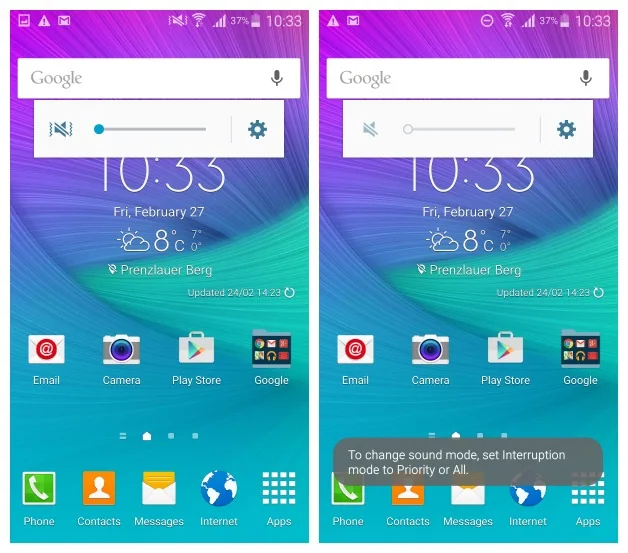
These instructions are historical. Android has since introduced newer notification and Do Not Disturb controls, and current phones do not necessarily use Lollipop’s interface. Do not assume that an old menu path applies to a modern device. Use the phone’s current Settings search or manufacturer support pages to find notification and quiet-hour controls.
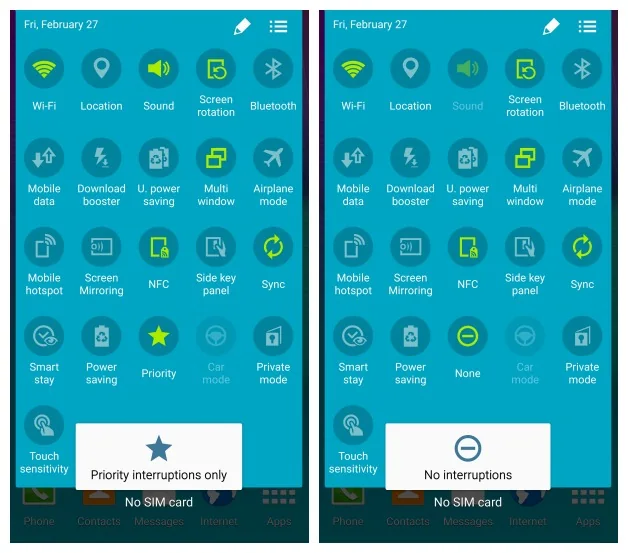
Plan quiet periods carefully
Before enabling a mode, review which contacts, alarms and emergency alerts are allowed. A quiet setting can hide a call or message you expected to receive. If the phone is used for work, caregiving or safety, test the configuration with a trusted contact and confirm that alarms behave as intended. Exact exceptions vary by device and Android release.
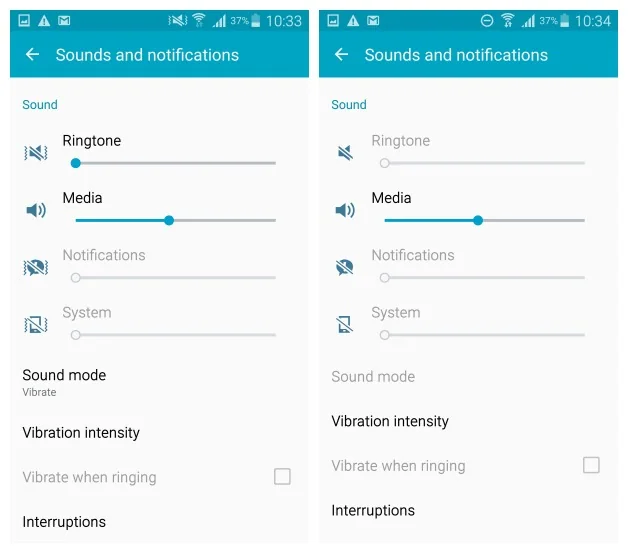
For an older Galaxy device
Check the model number and installed software version first. Carrier updates and regional firmware affected the Galaxy S4 and Note models, so screenshots from another handset may not match. Avoid installing unofficial firmware merely to restore a notification menu. These phones no longer receive current security support and should be used cautiously, especially for accounts containing sensitive information.
Lollipop’s interruption controls were an early step toward more flexible notification management. Their historical design explains why some older guides refer to “priority” or “interruptions.” For current use, rely on up-to-date device documentation and verify allowed calls, messages and alarms after changing the setting.

