
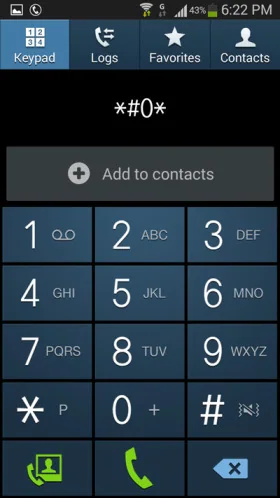
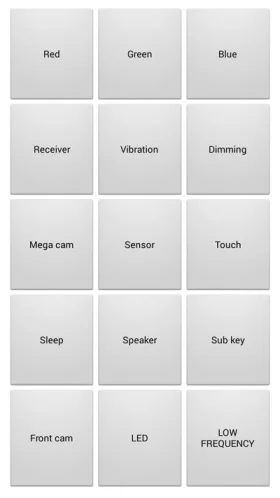
The Samsung Galaxy S3 included diagnostic and service functions intended for testing hardware and network behavior. Older articles often describe opening hidden menus with dialer codes, but those codes can vary by model, carrier and firmware. Some options may change radio, calibration or connectivity settings. This guide explains the risks and does not recommend changing undocumented values.
Use built-in checks first
For ordinary troubleshooting, start with visible settings and Samsung’s supported diagnostics for the exact device. Check the model number, Android version and carrier before following any instructions. A code that opens a harmless information screen on one variant may open a different menu or do nothing on another. Never enter a value you do not understand.
Why service settings can cause problems
Radio and hardware configuration screens are designed for technicians. Changing a band, power, test or calibration parameter can disrupt calls, mobile data, Wi-Fi, GPS or other functions. A factory reset may not restore every low-level setting. The Galaxy S3 is discontinued and no longer receives current security support, so online advice and old firmware files carry additional compatibility and security risks.
Safer troubleshooting steps
Restart the phone, check the visible network and sound settings, reseat the SIM only when the phone is powered off, and test with a known-good accessory where appropriate. Record the exact symptom and model variant. If the problem involves cellular radio, antenna, battery or board-level repair, use a qualified repair service or the carrier. Back up data before any reset or repair.

For historical research
Service menus are part of how manufacturers and network operators tested devices in the period. Their presence does not make every function safe for end users. Treat screenshots and code lists as historical material, not universal procedures. Do not install modified firmware or use secret-menu changes as a substitute for supported repair.
The Galaxy S3 may still be useful as a collector’s device or offline handset. Because the hardware and software are obsolete, keep it away from sensitive accounts and use manufacturer documentation where available. Leave undocumented service values unchanged unless a qualified technician provides model-specific instructions.

