
Root access removes some of the restrictions that protect Android’s system partition and application data. A phone that ships without root is easier to support, update and protect for ordinary users.
What root changes
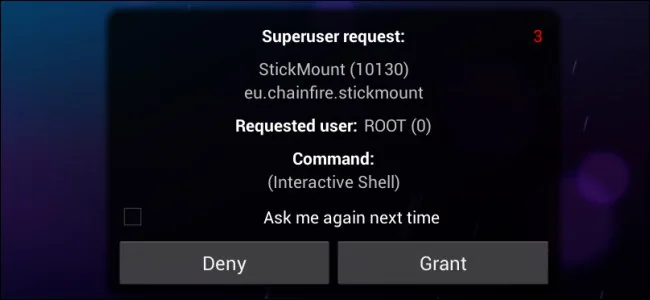
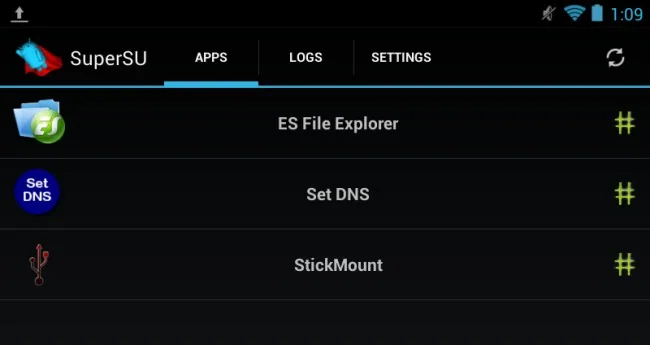
Rooted software can alter system files, remove preinstalled components and grant apps access beyond the normal sandbox. That flexibility can help advanced testing, but a malicious app with root can do much more damage.
Costs and trade-offs
Unlocking a bootloader may erase the device, break payment or streaming services and complicate warranty or security updates. The exact consequences depend on the manufacturer and model.
Make an informed decision
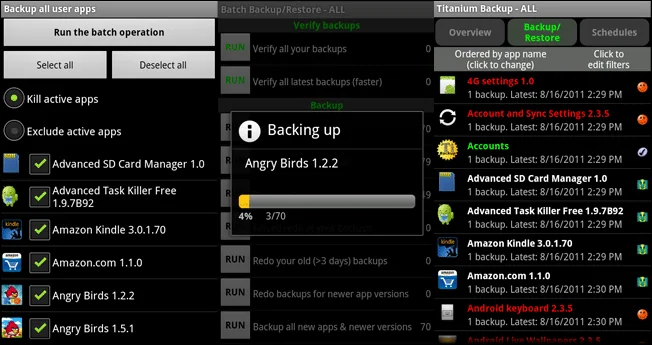
Use the manufacturer’s developer documentation for supported unlocking and keep a complete backup. Do not install a “one-click root” tool from an unknown site or grant it banking credentials. For most users, Android’s standard permission and developer settings provide enough control without weakening the security model.
Primary reference: Android security architecture.
After an update
Allow the phone time to optimise applications after a major update and check storage before troubleshooting. If the device is unsupported, keep apps updated from the official store and avoid firmware packages labelled for a different model or region.
Check the manufacturer’s release notes for known issues and keep a recovery method available. If an update fails repeatedly, record the error and contact support rather than repeatedly clearing data or flashing unofficial images.
Use the linked official documentation for the installed version and confirm the result on the exact device or account described here. Keep a backup before changing settings, and stop if the behaviour suggests hardware failure or unauthorised access.

Root is a powerful administrative capability
Android applications normally run with separate identities and limited access to one another’s data. Root privileges can bypass some boundaries and alter system components. That can help developers test software, but it also increases the consequences of installing an untrusted app. A rooted phone is not automatically compromised; its security depends more heavily on the operator, boot chain and update practices.
Why consumer devices keep restrictions
Manufacturers ship phones with controlled system partitions so users receive a consistent configuration, apps remain isolated, and security updates can be applied predictably. Bootloader unlocking is distinct from rooting and may erase data or change device integrity checks. Effects and warranty terms differ by model and region, so consult official support terms.
Choose a safer route
Most customization needs can be met through supported settings, accessibility features, developer options or official management tools. Developers can use an emulator or spare handset instead of a primary phone containing banking or work accounts. Keep a verified backup, install updates, and avoid one-click root packages from unknown sites. The practical benefit should be clear, and you should have a tested way to restore the device if an experiment fails.

