
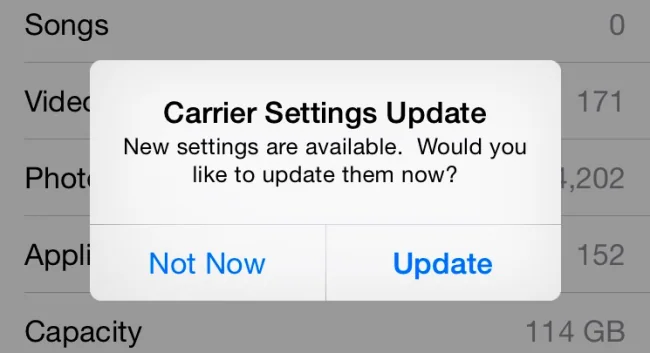
A carrier settings update changes the configuration that lets an iPhone communicate with a mobile network. It can update network selection, voicemail, messaging, tethering or support for a carrier feature without changing the iOS version.
Why the prompt appears
Apple distributes carrier settings through the device and may show a notification when a new configuration is available. The prompt is different from an operating-system update and should be evaluated in the context of the carrier you use.
When troubleshooting
Install only updates delivered through the iPhone’s Settings prompt or Apple’s documented process. If mobile data, calls or visual voicemail stop working, restart the phone, check the SIM or eSIM and contact the carrier through its official support channel.
Keep the article current
Menu labels and carrier capabilities change. The original 2015 screenshots should be replaced with current Apple documentation before publication.
Primary reference: Apple wireless carrier support.
When the prompt is missing
Carrier updates can install silently, and a missing prompt does not prove that the phone lacks support. Check the carrier account, SIM or eSIM status and current iOS version. Do not install a configuration profile sent by an unknown person.
When contacting support, provide the carrier name, iOS version and whether the problem affects calls, SMS or data. This avoids confusing a carrier configuration update with a SIM failure or a general network outage.
Use the linked official documentation for the installed version and confirm the result on the exact device or account described here. Keep a backup before changing settings, and stop if the behaviour suggests hardware failure or unauthorised access.
What an update can change
Carrier settings are separate from iOS. Apple says these updates can improve cellular connectivity and add support for features such as 5G or Wi-Fi Calling. The update may matter after inserting a SIM, setting up an eSIM or switching carriers. Availability depends on the carrier and device, so two iPhones on different networks may show different prompts.
Install through the device
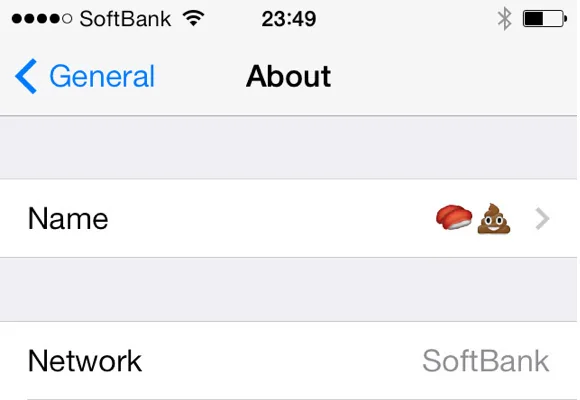
Use the notification shown by iOS or Apple’s documented path in Settings, General and About. If no prompt appears, check the Carrier field and ask your carrier whether a newer configuration is available. Some modem updates happen automatically and require no action; distinguish those notices from a carrier-settings prompt.
Troubleshoot carefully
If calls or mobile data fail, confirm the selected line is enabled, check the carrier’s outage page, restart the iPhone and contact support through a verified channel. Avoid profiles sent by strangers or links in unsolicited texts. Do not reset network settings as a first step because it can remove saved Wi-Fi networks. Record the exact error and when it began so the carrier can investigate account or coverage issues.

