
Android call recording is not a universal switch available on every phone. Whether you see the option depends on the Phone app, device model, carrier and country or region. Google’s Phone app Help Center currently describes built-in recording on supported devices and warns users to follow local laws. Check that guidance for your model before changing settings; old Android tutorials and third-party recorder apps may no longer work as described.
Check whether your phone is eligible
Google says non-Pixel devices must run Android 9 or later, while Pixel devices must be Pixel 6 or newer with Android 14 or later. You also need the latest version of the Phone app and must be in a supported region. These are requirements, not a promise that every qualifying phone will have the feature. Device makers and mobile operators can affect availability, and Google notes that supported features vary by market.
Start a recording in the Phone app
For a supported device, place or answer a call in the Phone app and look for the Record control on the active-call screen. On Pixel devices, Google’s steps use Call Assist and then Call recording. Tap the control to start, and use Stop recording when finished. Menu names can vary as the app is updated. If no recording control appears, do not assume that a hidden code or another app can safely enable it; the feature may simply be unavailable for that phone or region.
Participants are notified
Google says that when recording begins, both participants hear a disclosure that the call is being recorded, and they are notified when recording stops. This notification protects the privacy of everyone on the call and is part of the built-in feature. Avoid attempts to bypass it. Recording laws differ: some jurisdictions require consent from all parties, while others have different rules. Before recording, check the law that applies where each participant is located and obtain any required consent.
Automatic recording and saved files
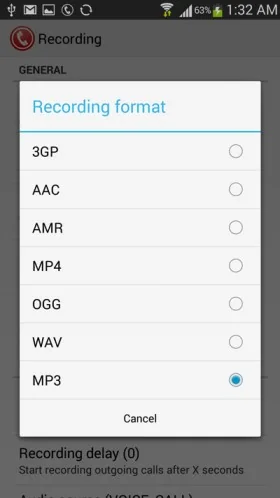
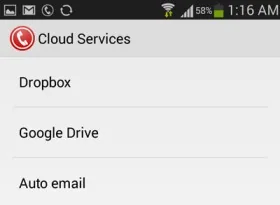
The Phone app may offer options to always record calls from unknown numbers or selected contacts, but automatic recording is not available in every market. Google also provides controls for playback and how long recordings are kept. Its help page says recordings are stored on the device and are not saved or backed up off-device by the Phone app. That means a device change, app data loss or deletion may affect access. Treat recordings as sensitive information: lock your phone, share files deliberately and delete them when no longer needed.
Why older recording apps can be risky
Android permissions and platform restrictions have changed since many 2014 tutorials were written. An app that asks for broad access to calls, contacts, microphone, accessibility or storage deserves careful scrutiny. Some third-party apps cannot capture both sides reliably or may upload audio. Install only from a trusted store, review the developer and privacy disclosures, and do not grant permissions unrelated to the app’s stated function. Never use recording to threaten, impersonate or expose another person.
Use the current built-in Phone app guidance as the first check, confirm that the option appears on your device, and understand the legal and privacy responsibilities before recording. If support is absent, contact the phone maker or carrier rather than relying on a workaround that may be insecure or unlawful.

