
Android’s Developer options are intended for app development, testing, and troubleshooting. They include settings for debugging, performance measurement, and visual behavior. A hidden settings screen is not automatically a security vulnerability; the risk depends on which options are enabled, what computer is connected, and whether the owner authorizes it.
What USB debugging does
USB debugging lets Android Debug Bridge (ADB) tools communicate with a device for development tasks. Google documents that Android 4.2.2 and later display an RSA authorization dialog when a computer connects. The phone must be unlocked and the user must accept that computer’s key before ADB commands are authorized. Read the prompt carefully and accept only on a computer you control or trust.
Settings vary by Android version
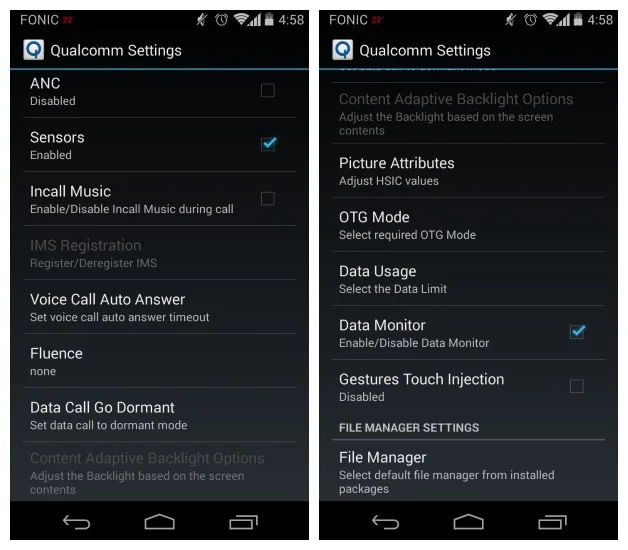
On Android 9 and later, Google’s current developer instructions place USB debugging under Settings > System > Advanced > Developer options, although some manufacturers use different labels or locations. On recent Android versions, search Settings for “Developer options” or “USB debugging.” The location of the Build number setting used to enable Developer options also differs by manufacturer. Use your device maker’s instructions instead of assuming a path copied from an older phone.
Reduce exposure after debugging
When development work is complete, turn off USB debugging. In Developer options, use the control to revoke USB debugging authorizations if you connected computers you no longer trust. Do not leave a shared or public computer authorized. Keep the screen locked when the phone is unattended, and install Android system updates from the device’s supported update channel.
Wireless debugging is also available on some newer Android releases. Pair only with a trusted development computer on a network you control, and stop the session when finished. Network access can expose debugging endpoints to other devices on the same network, so avoid using it on public Wi-Fi.
If you see a prompt unexpectedly
Decline an ADB authorization request you did not initiate. Unplug the cable, check the computer, and review authorized debugging devices. If the device is managed by a workplace or school, follow its administrator’s policy. Developer options can help developers, but they are not needed for ordinary phone use.
This update avoids repeating an unverified 2014 “security hole” headline. Google’s developer documentation describes the intended controls; exact menus and safeguards may differ across Android versions and manufacturers.
Related reading: How to Enable USB Debugging on an Android Phone.

