
Internet Download Manager (IDM) does not download BitTorrent swarms in its current version. IDM’s own FAQ says torrent support is not available. A torrent file or magnet link is metadata for a peer-to-peer client; it is not an ordinary direct-download URL that IDM can accelerate. Trying to convert a magnet link into a web link through an unfamiliar third-party site can expose your activity and may lead to unsafe files.

Use a BitTorrent client for legitimate torrents
When a publisher distributes a file through BitTorrent, download the torrent or magnet link from that publisher’s official site and open it in a reputable BitTorrent client. The client connects to peers and assembles the file pieces. Keep the client updated, check the publisher’s instructions, and review its sharing settings. BitTorrent is a protocol: whether a particular download is lawful depends on the file, your location, and the rights holder’s permission.
Example: download an official Linux image
Debian offers official installation images over regular downloads and BitTorrent. Its project documentation explains that you need a BitTorrent client for the torrent option and publishes official release files and checksums. This is a legitimate example of using a torrent: follow Debian’s download page to choose the correct image and architecture, then verify the downloaded file using the project’s published instructions. The same approach applies to other software projects that explicitly publish their own torrents.

When IDM is the right tool
For a direct HTTP or HTTPS download that a publisher authorizes, IDM can manage the download and may help resume an interrupted transfer when the server supports it. Use the direct link provided by the site. If the download is a torrent, choose a torrent client instead; if the publisher offers both options, select the one that fits your connection and the publisher’s terms. Do not use IDM, torrent clients, or link-conversion services to obtain copyrighted material without permission.
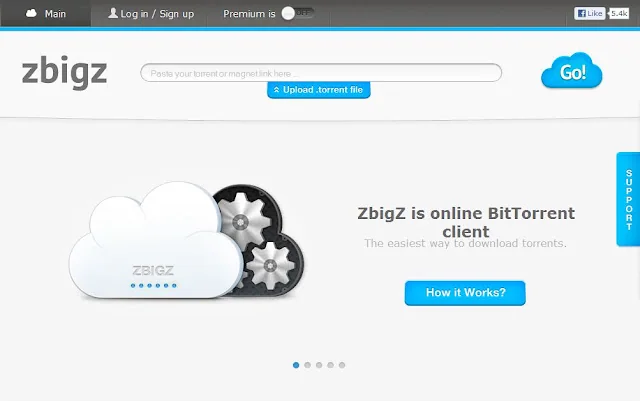
Stay away from risky torrent links
Unknown sites may disguise executable malware as movies, installers, key generators, or compressed archives. Avoid “cracked” software, files that ask you to disable antivirus, and torrents with misleading names or publishers. Keep Windows and security software updated, scan files before opening them, and verify hashes or signatures when the official publisher provides them. A clean scan cannot prove that a file is legitimate, so the source matters.
Quick troubleshooting
- If IDM opens when you click a magnet link, cancel and open the link with your installed BitTorrent client.
- If a torrent does not start, confirm the client is current and that the publisher still provides peers or a current release.
- If a direct download fails in IDM, retry the publisher’s browser link and consult the IDM help page; some servers do not support resuming.
- If a download page demands a browser extension or asks for account credentials unrelated to the publisher, leave the page.
The practical rule is simple: use IDM for supported direct downloads and a trusted torrent client for authorized BitTorrent files. Always obtain software from the publisher and respect copyright and local law.

