
Clear explanations can make a complicated machine, natural process or scientific idea easier to understand. In 2014, this Tecblast roundup pointed readers to four free online resources: Animagraffs, HowStuffWorks, Stuff You Should Know and FW:Thinking. They approached explanation in different ways, from visual diagrams to long-form articles and audio. Their names remain useful as an archive of the web’s educational formats, but readers should check current availability and verify important claims before relying on any older page.
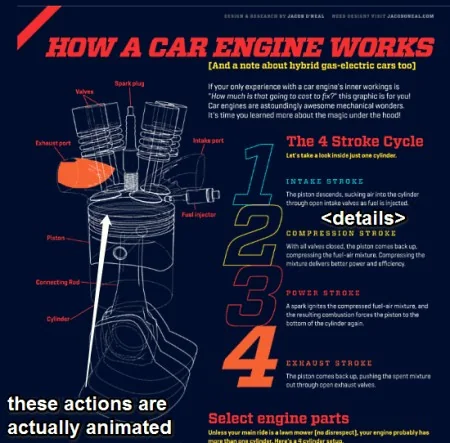
Animagraffs: learn through visual breakdowns
Animagraffs presents selected topics with detailed illustrated explanations. A visual sequence can show how parts fit together or how a process unfolds, which is helpful when a paragraph alone would be difficult to picture. Its approach works best for mechanisms and systems with visible components. It is less suited to questions that depend on local rules, rapidly changing product details or evidence that needs a careful discussion of uncertainty.
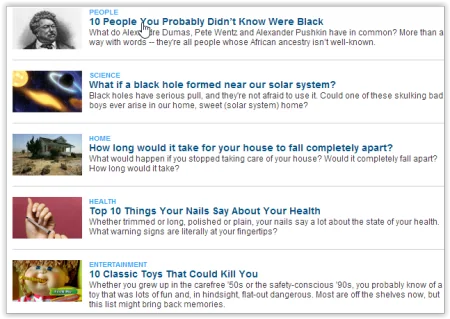
HowStuffWorks: broad, searchable explainers
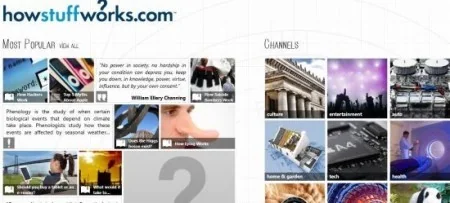
HowStuffWorks publishes articles across technology, science and everyday subjects. The format is convenient when a reader wants a written overview and a starting point for further research. As with any large archive, pages can vary in age and depth. Check the publication or update date, follow citations to original sources, and compare medical, safety or financial claims with current guidance from qualified authorities.
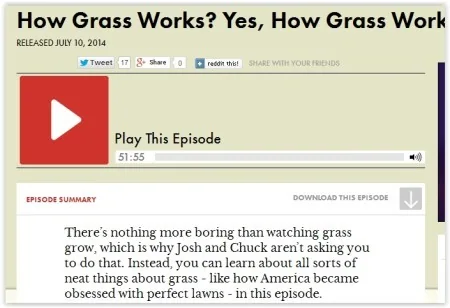
Stuff You Should Know: explanations in audio
Stuff You Should Know is an explanatory podcast whose episodes explore a wide range of subjects through conversation. Audio can provide context and make an unfamiliar topic approachable during a commute or other listening time. Podcast episodes are not reference manuals, however. Dates, statistics and recommendations can become stale, so look at episode notes and follow any references when a decision depends on accurate current information.
FW:Thinking and the changing web
The original Tecblast article also listed FW:Thinking, a site associated with accessible technology and science explainers. Older links to web projects often stop working as publishers reorganize or retire a series. Because current official availability for this historical name is uncertain, treat it as an example of the roundup’s 2014 landscape rather than a guaranteed active destination. Do not download material from an unfamiliar mirror merely because an old article once linked to it.
How to use educational websites responsibly
Start with a question, then choose a format that suits it: diagrams for spatial systems, articles for searchable detail and podcasts for narrative context. Check who produced the material and when it was published. Look for links to research papers, government agencies, universities or product documentation. If a page makes a precise claim without showing evidence, use it as a lead and find a stronger source before repeating the claim.
Also distinguish explanation from instruction. A general article may simplify a subject and omit exceptions. Do not use a casual explainer as the only basis for medical treatment, electrical repairs, legal decisions or other high-consequence actions. Consult the appropriate professional or official guidance. If an article includes sponsored material, separate the promotion from the educational content.
A useful starting list, with a date check
These four names illustrate four ways online learning has been presented: visual graphics, written explainers, audio storytelling and technology features. Their current catalogues, ownership and free access may change. Before sharing a link, open it, confirm that it is the official publisher, review its date and make sure it supports the point you want to make. That small check turns an old list into a safer research starting point rather than an outdated directory.

