
A 2015 demonstration put classic Macintosh software on a smartwatch. Developer Corbin Davenport showed Macintosh System 6 running in an emulator on a Samsung Gear Live, an early Android Wear device. The original Tecblast headline called it a Macintosh II, but the important technical detail is that the watch was running an emulated system environment. It did not become a vintage Mac, and the demo was not a normal smartwatch feature.
What the video shows
The demonstration video shows a small desktop interface with windows, menus, and icons displayed on the watch’s touchscreen. The user taps and drags to interact with it. This makes for an entertaining proof of concept, but a desktop operating system designed for a larger screen and mouse is awkward on a watch. Tiny controls, limited space, and the watch’s input method make ordinary tasks difficult.
The project used an emulator, software that imitates aspects of another computer’s hardware so compatible software can run in a virtual environment. Mini vMac is an open-source project that emulates early 68K Macintosh computers. The exact emulator build and configuration used in the watch video were part of an individual demonstration, not an endorsed or supported Google feature.
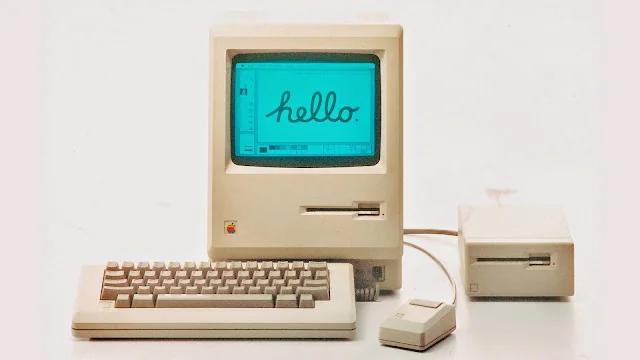
Emulation is different from installing Mac OS on Wear OS
When an operating system runs inside an emulator, the host device still runs its own operating system. Here, Android Wear remained the watch platform, while the emulator represented a Macintosh environment inside an app. That distinction is useful when interpreting other unusual technology demos: a game console, desktop interface, or old operating system shown on a phone or watch may be emulated rather than natively supported.
The demonstration also should not be treated as a setup guide. The app, watch model, operating-system versions, and distribution channels have changed since 2015. Classic computer software and ROM images may have licensing restrictions, so users should obtain software only from authorized sources and check the emulator project’s documentation. Avoid installing archived APKs from unknown websites or following steps that ask you to disable device protections.
Testing Wear OS apps today
For developers building current watch apps, Google’s supported workflow is Android Studio with a Wear OS virtual device or compatible physical watch. Google documents how to create and debug apps with its emulator, including pairing a watch emulator with a phone when an app uses both devices. That official development environment is intended for software testing; it is not the same as recreating a classic Macintosh environment on a watch.
The 2015 clip remains an example of creative hobbyist emulation and the flexibility of Android-based wearables at the time. It demonstrates what one person achieved with particular software and hardware, not a reliable everyday use case. This rewrite corrects the original framing, distinguishes emulation from native support, and points developers to current official tools.

