
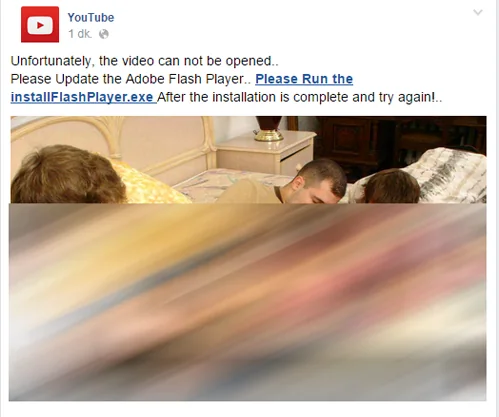
Social networks can spread malicious links through posts, direct messages, comments, fake giveaways, and compromised accounts. A message may appear to come from a friend or a familiar brand even when the sender’s account has been taken over. CISA warns that criminals use social media to distribute malicious links and exploit overshared personal details. Treat an unexpected request to sign in, download a file, or share a code as a reason to pause.

Check the message before opening a link
Look at the sender and the context. Does the message sound unusual for that person? Is it urgent, surprising, or asking you to keep it secret? Hover over a link on a computer to inspect its destination without opening it. On a phone, press and hold only if the app safely previews the address; do not tap through a warning. A shortened URL hides its final destination, and a familiar logo does not prove that a page is genuine.
If a friend sends an unexpected link, contact them through another channel and ask whether they sent it. For a bank, delivery service, or social network, open the official app or type the known website address yourself instead of using the message link. Never provide a password, one-time code, or payment information from a page reached through a suspicious post.
Reduce account exposure
Use a unique password for each account and turn on multi-factor authentication when available. Review active sessions and connected third-party apps periodically, and remove access you do not recognize. Limit personal details such as your address, travel plans, phone number, and account recovery hints. CISA notes that details shared publicly can help attackers tailor scams or guess security information.
If you clicked or entered information
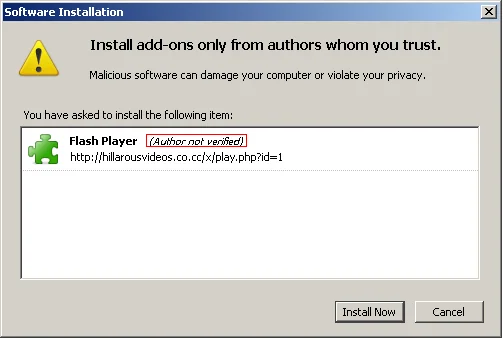
If you only opened a page, close it and do not download anything or grant permissions. If you entered a password, go directly to the real service, change it, and change the same password anywhere else it was reused. Sign out unfamiliar sessions, enable multi-factor authentication, and check account recovery details. If you installed a file or app, disconnect the affected device from sensitive accounts and use the device maker’s security guidance or a trusted technician. Report the post to the platform so it can investigate.
Scam techniques change, and no single clue proves a link is malicious. Verify requests independently, keep software updated, and use the platform’s current security and reporting controls.

