
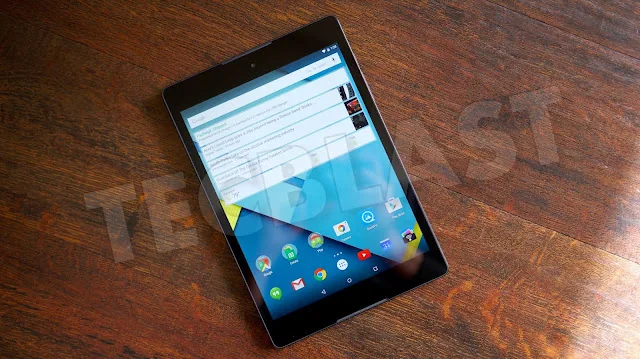
In 2015, Nexus 9 owners waited for Android 5.1.1 while other Nexus devices had already begun receiving the Lollipop update. The rollout was real, but the reason for the timing was not publicly explained in a definitive way by Google. Any account that attributes the wait to a specific hardware, software, or manufacturer problem without reliable documentation goes beyond what the public record supports.
What was confirmed
Google announced Android 5.0 Lollipop in October 2014 and listed the Nexus 9 among the devices launching with the new release. Google also said updates would reach several earlier Nexus models in the weeks after launch. Those statements set expectations for a rollout, but they did not promise that every model would receive every maintenance release on the same day.
Android 5.1.1 was a maintenance release for Lollipop. Google’s Android developer documentation records the Lollipop release family and its developer-facing changes. Contemporary reporting later noted the Nexus 9 update becoming available after other devices had begun receiving it. That establishes the sequence, not the underlying reason. OTA rollouts can be staged and may differ across device models, regions, and builds, but applying a general explanation to one particular delay requires evidence.
Why update timing can vary
Android updates involve more than publishing a new version number. A device update must work with the model’s software build, hardware components, and any regional or carrier requirements that apply. Manufacturers and platform teams test releases before distributing them, and staged rollouts can limit the impact of problems discovered after release. These are common parts of software maintenance; they should not be presented as the proven cause of the Nexus 9’s 2015 wait.
For readers researching a historical delay, distinguish three claims: the update existed, it reached a particular model at a particular time, and a named technical issue caused the timing. The first two can be checked against release records and device reports. The third requires a statement or technical record from a responsible source. If that evidence is unavailable, the accurate conclusion is that the cause remains undocumented.
How to check an Android update now
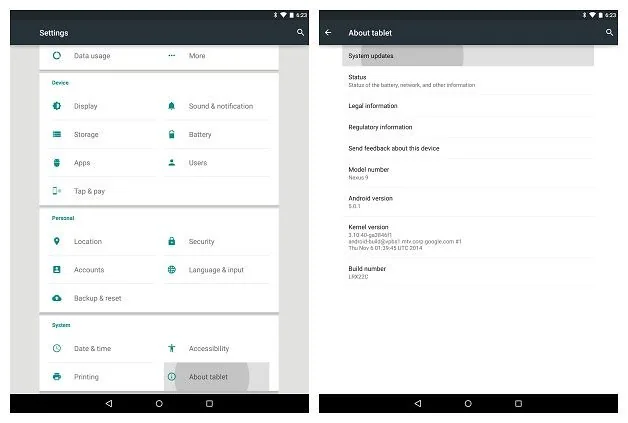
On a supported device, open Settings and look for System, Software update, or a manufacturer-specific update menu. The exact location varies by phone. Check the model name and build number before installing an update, connect to a trusted Wi-Fi network, and make sure the battery has enough charge. Back up important data before major software changes.
Security updates matter even when an Android version does not change. Android publishes security bulletins describing fixes for vulnerabilities, and manufacturers may publish additional information for their own products. Support periods differ by device and maker. A phone that no longer receives security fixes may continue to work, but it becomes a less suitable place for sensitive accounts and payment activity.
What Nexus 9 owners should take from the story
The Nexus name once encouraged buyers to expect timely Android updates, but a product label cannot substitute for a current support commitment. Update timing can vary, and manufacturers’ policies change over time. For a device you are considering today, look up its exact model on the manufacturer’s support page and confirm the end date or cadence of security updates.
The 2015 Nexus 9 episode is best preserved as a dated software-history note: Android 5.1.1 reached the tablet after some other Nexus devices, and a definitive public cause for the delay is not established here. Keeping that distinction clear makes the article useful without turning speculation into fact.

