
Android Lollipop reached the first-generation Moto G through a phased software rollout, with availability varying by region and model. Contemporary reports in early 2015 described Motorola’s announcement that Lollipop was beginning to roll out to first- and second-generation Moto G phones in India, while the U.S. announcement covered the second-generation device. The original headline’s “rolling out now” phrasing can mislead readers into expecting every 2013 Moto G to receive the same build immediately.
Why model and region mattered
The Moto G name covered multiple generations and hardware variants. An update announcement for the first-generation Indian model did not automatically apply to a second-generation phone, a carrier-branded unit, or a handset from another country. Motorola described the rollout as phased, meaning eligible devices could receive a notification at different times. That is why old reports should be read with the generation and region attached to the claim.
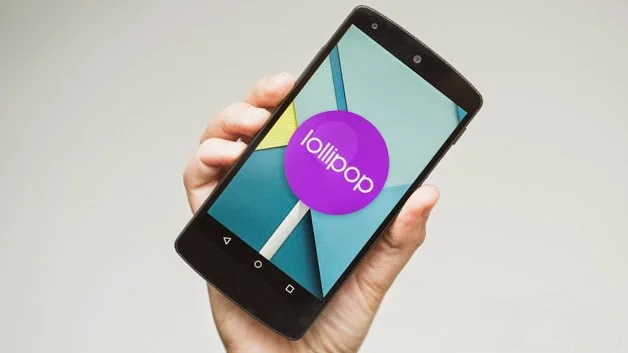
What Lollipop changed
Android 5.0 introduced Material Design, a refreshed visual system with updated motion and layout conventions. Google’s release documentation also described lock-screen notifications, revised notification controls, battery-saving features, and platform changes for developers. These were Android platform features; the exact experience on a Moto G depended on the device build and Motorola’s software adaptation. A headline about an update should not promise that every device received every feature in the same way.
Why old installation directions are unsafe
Archived posts sometimes tell readers to sideload firmware, use tools intended for another model, or change settings through menus that no longer exist. Those steps can erase personal data or leave a phone unable to start if the package does not match the device. This article intentionally does not provide firmware files, flashing steps, or workarounds. The Moto G (2013) is legacy hardware, and unofficial update packages should not be treated as current support.
How to check an old phone safely
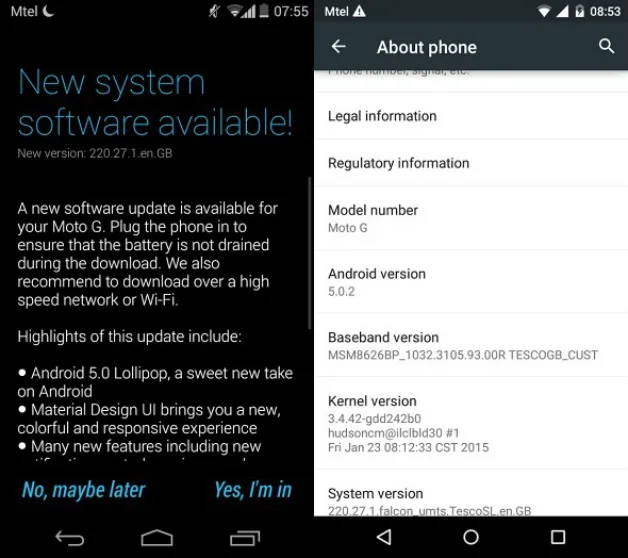
Motorola’s general support guidance recommends checking for software updates through the device’s update controls and notes that availability depends on the phone and carrier. For a legacy device, confirm the exact model before following any support article, back up important files, and stop if an instruction refers to a different model number or region. An update notice that was valid in 2015 does not mean a supported update remains available today.
The historical point is that Motorola began a phased Lollipop rollout for certain Moto G generations and regions in 2015. It was not a simultaneous worldwide release for every Moto G. Treat the original article as an archive of that rollout, not as a present-day installation guide.

