
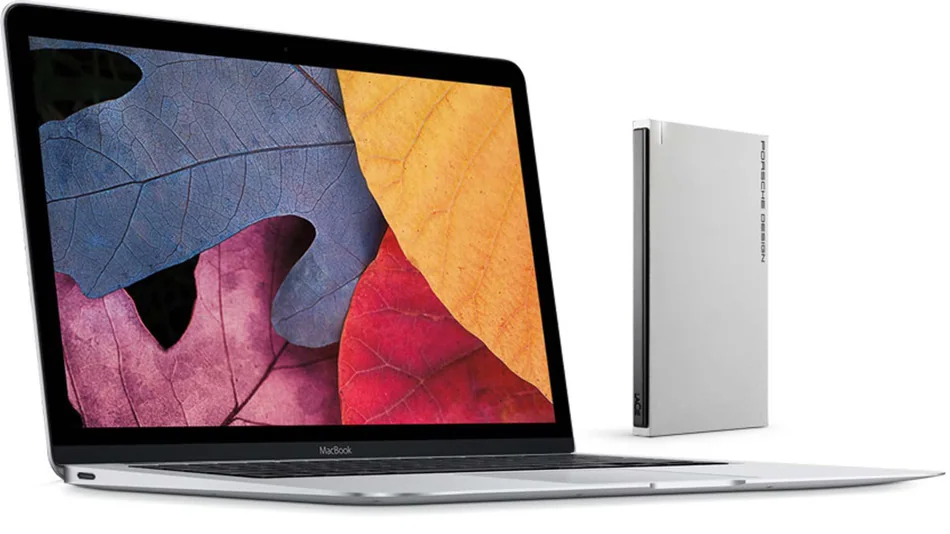
In 2015, the new MacBook’s USB-C port drew attention because it was a compact, reversible connector that could support more than one kind of connection. LaCie’s Porsche Design Mobile Drive was an early external-storage product built around USB-C. This is now a historical product story, not a current product recommendation: the drive, bundled software, and the 2015 MacBook are legacy hardware, and current availability or support should be checked with Seagate/LaCie.
USB-C is a connector, not a speed guarantee
The USB Type-C plug is reversible and physically different from older Type-A connectors, but the connector alone does not tell you the data rate, charging capability, or supported protocols. USB-IF explains that USB Type-C, USB 3.2, and USB Power Delivery are separate terms. Actual speed depends on the drive, cable, host port, and protocol they have in common. LaCie’s product manual says its drive shipped with USB-C-to-USB-C and USB-C-to-Type-A cables; when connected through USB 2.0, performance is limited to USB 2.0 rates.
That distinction remains useful today. Before buying a drive or cable, check the product’s supported USB data standard and power requirements, not just the shape of the plug. A cable that fits may charge slowly, transfer at a lower rate, or lack a feature such as video output. Use the manufacturer’s included or specified cable and connect directly to a compatible port when troubleshooting.
Using an older external drive safely
If you already own the LaCie drive, check its exact model and follow the current manual for connection and safe ejection. Keep a second backup of important data; an external drive is not a backup if it is the only copy. Avoid installing old utility software from an unfamiliar mirror. Check Seagate’s support page for product documentation and any current operating-system compatibility notes. A drive that mounts correctly may still have an aging disk or enclosure, so test it and replace it if it reports errors, disconnects, or makes unusual noises.
When connecting USB-C storage to a newer Mac, confirm that the cable and any adapter support the drive’s data mode. macOS may ask to allow an accessory or mount a new volume; inspect the volume name before copying files. For sensitive data, use the operating system’s supported encryption options and keep recovery information secure.
Why the launch mattered
The product highlighted an early transition toward fewer, more versatile ports on thin laptops. That transition made adapters and cable specifications more important: one connector could carry different capabilities, but not every accessory supported every capability. It is a useful reminder when choosing modern USB-C storage, docks, chargers, and cables.
See the archived LaCie Porsche Design Mobile Drive manual, Seagate’s product support page, and USB-IF’s USB-C product terminology guidance. The original “already” headline is historical and does not describe current availability.

