
Windows 8.1 installation media is now a legacy topic. Microsoft ended support for Windows 8.1 on January 10, 2023. A computer can still boot and run the system, but it no longer receives normal security updates or technical assistance. That makes an old ISO unsuitable as a fresh everyday operating-system recommendation, especially for a PC that connects to the internet or stores sensitive information.
Decide whether you need the old installer
An ISO may still be useful to restore a device you own, inspect an old application, or run a short compatibility test in an isolated virtual machine. First check the device’s original recovery options, product-key records, and manufacturer documentation. Do not assume that any ISO found through a search engine is authentic, complete, or licensed for your device. Avoid unofficial download sites, activation cracks, and modified images: they can bundle unwanted software or undermine system security.
Choose a supported system for regular use
For a computer used for email, browsing, banking, or work, prefer an operating system that currently receives security servicing and meets the hardware requirements. Microsoft recommends moving from Windows 8.1 to a supported Windows release or a replacement device. Before an upgrade or clean installation, check compatibility, back up personal files, verify application installers and license details, and make sure you can restore the previous system if the installation fails. A clean install can erase the target drive, so read the installer choices carefully.
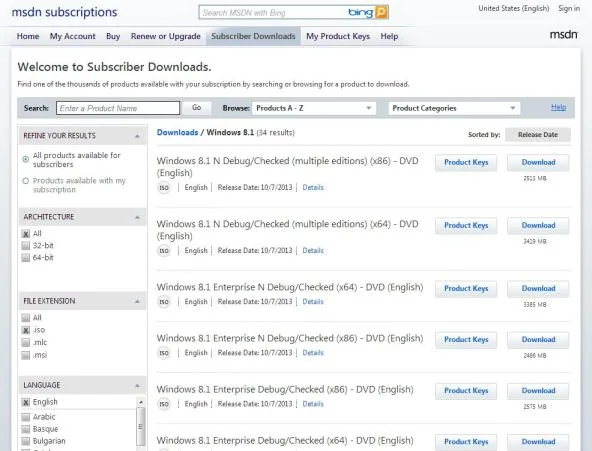
If you must test Windows 8.1
Use a virtual machine on a supported host when the goal is software compatibility or historical research. Keep the guest disconnected from unnecessary network access, do not sign into personal accounts, and use only files you trust. A virtual machine reduces exposure but does not make an unsupported operating system safe. If you need an old installation for a hardware repair, obtain media only through Microsoft or the device manufacturer when they still provide it, and confirm that your license permits that use.
Key takeaway
This article is a status update, not a promise that Microsoft still provides a public Windows 8.1 ISO download. Microsoft says the system continues to function, while warning that the absence of security updates can increase exposure to malware. Check Microsoft’s current support page before making an installation decision, and prioritize a supported system for normal use.
Official reference: Microsoft: Windows 8.1 support ended

