
A Windows laptop can share an existing internet connection with nearby devices over Wi-Fi. This is useful when you have Ethernet in a hotel room, a wired connection at a desk or another connection that you want to share. The laptop must have a working network adapter, and some workplace or campus networks may block connection sharing.
Set up Mobile hotspot in Windows 11
- Connect the laptop to the internet using Wi-Fi, Ethernet or a supported cellular connection.
- Open Settings > Network & internet > Mobile hotspot.
- Under Share my internet connection from, select the connection you want to share.
- Choose Wi-Fi under Share over for the usual wireless hotspot option.
- Open Properties and select Edit to set a network name and a strong password. Save the settings.
- Turn on Mobile hotspot. On the other device, open Wi-Fi settings, select the laptop’s network and enter its password. Some Windows versions also offer a QR code.
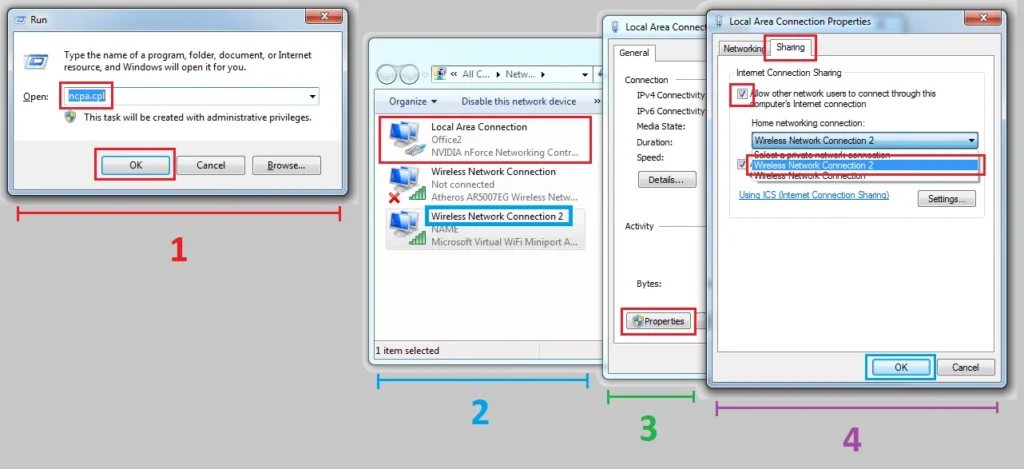
Microsoft documents these controls in its guide to using a Windows device as a mobile hotspot. The same page describes Quick Settings as a faster way to turn an already configured hotspot on or off. Exact labels can differ by Windows build and hardware.
Check the connection and manage access
Keep the laptop powered and within range. If another device cannot connect, verify that the hotspot is on, recheck the password, and make sure the selected source connection still has internet access. You can change the network name or password in Mobile hotspot settings. Turn the feature off when you no longer need to share the connection, especially on a public network.
Use a password that is not reused elsewhere and share it only with people who should have access. A hotspot password controls who can join the local wireless network; it does not make an untrusted public internet connection private or protect every device from online threats. A VPN may be appropriate for sensitive work on a public network, depending on your organization’s rules.
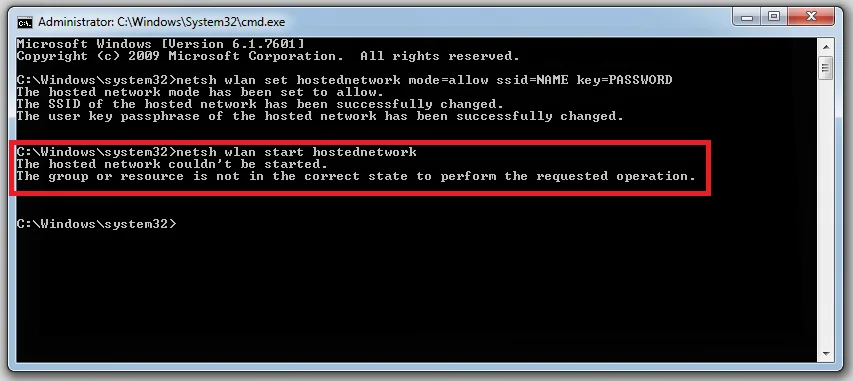
What if Mobile hotspot is missing or fails?
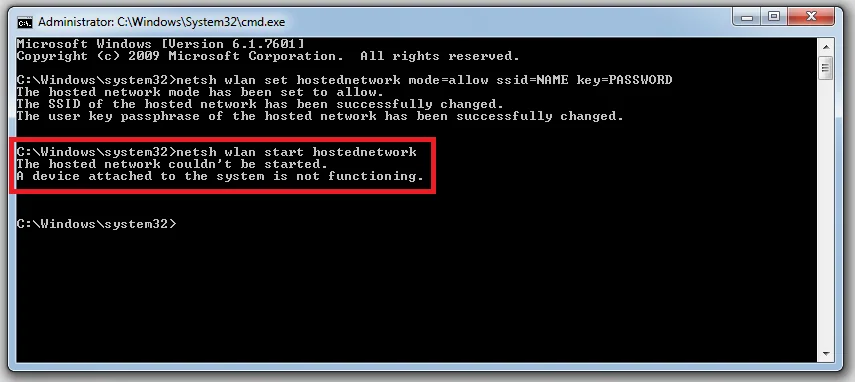
Install current Windows updates and check that the Wi-Fi adapter is enabled. On managed work or school computers, an administrator may disable hotspot sharing. A wireless driver or adapter limitation can also prevent the feature from working. If the computer uses mobile data, sharing can consume the plan’s data allowance. Microsoft notes that Windows 10 support ended on October 14, 2025; systems still running it no longer receive regular free security updates, so consider moving to a supported Windows release.
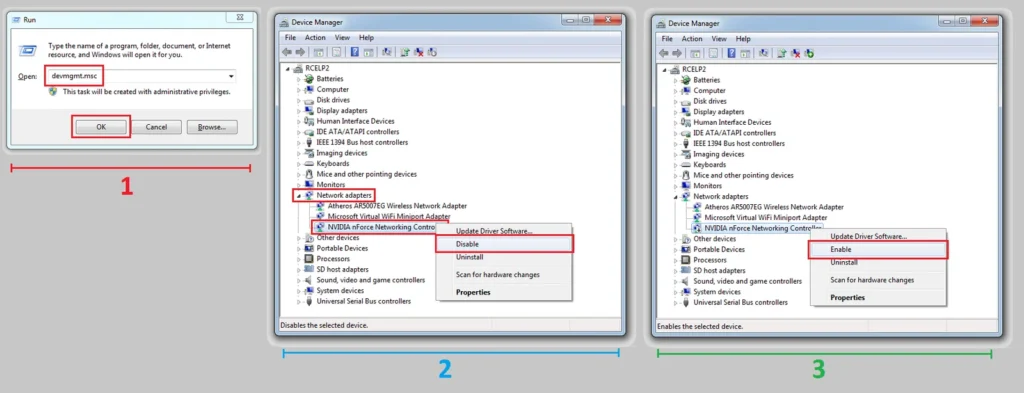
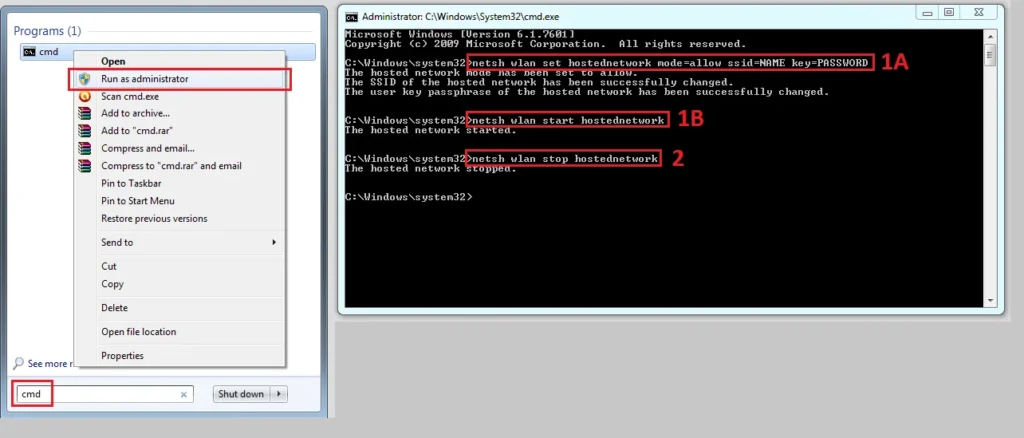
The old steps for third-party virtual-router utilities are unnecessary on supported Windows versions. Start with the built-in Mobile hotspot setting and consult your laptop maker or network administrator if it is unavailable.

