
Google’s Find Hub can help locate an Android phone, play a sound, mark it as lost, or erase it remotely. It works best when prepared before a phone goes missing. Google says the device needs power, a Google Account, network access for remote actions, Find Hub enabled, and visibility on Google Play. Your account must also be able to sign in securely from another device.
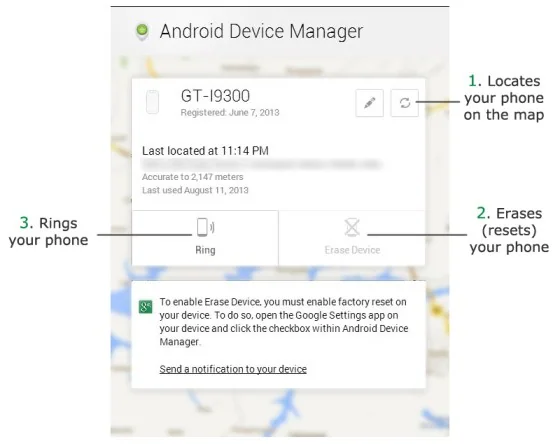
Check readiness now
On the phone, confirm that a Google Account is added and the screen has a PIN, pattern, or password. Review Find Hub in the device’s Google settings and make sure location services are available. Keep recovery options for your Google Account current, including backup codes if you use 2-Step Verification. Google’s Find Hub help page lists the current requirements and steps.
Locate and ring the phone
If it is lost, open the Find Hub app on another trusted Android device or visit Google’s Find Hub page in a browser. Sign in to the Google Account on the missing phone, select the correct device, and review its current or last known location. Play sound can ring it loudly for several minutes, which helps when it is nearby. Location is an estimate and may be less accurate indoors or when the device is offline.

Mark it lost before erasing
If you cannot recover the phone quickly, use Mark as lost to lock it and add a safe contact method to the lock screen. Contact your carrier if the SIM or mobile account could be misused, and change important passwords from a trusted device if you suspect account access.
Erase only as a last resort
A factory reset remotely deletes data from the phone, and Google warns that an erased device may no longer appear in Find Hub. It may also require the Google Account password during setup afterward. Choose erase when recovery is unlikely and protecting the stored data matters more than continuing to locate the handset. If the phone later returns, sign in with the account previously used on that device.

