
Android apps do not all run on a Windows PC in the same way. The right option depends on whether you want a supported mobile game, a general app, or a service that already has a website or Windows version. Old instructions that download an APK to a PC and open it through an unknown emulator are not a reliable universal method.
For games, check Google Play Games on PC
Google Play Games on PC lets users play supported mobile games on Windows. Google maintains a catalogue and checks whether a PC meets system requirements, including Windows version, storage, memory, graphics, and processor. Not every Android game is available, and compatibility labels help set expectations.
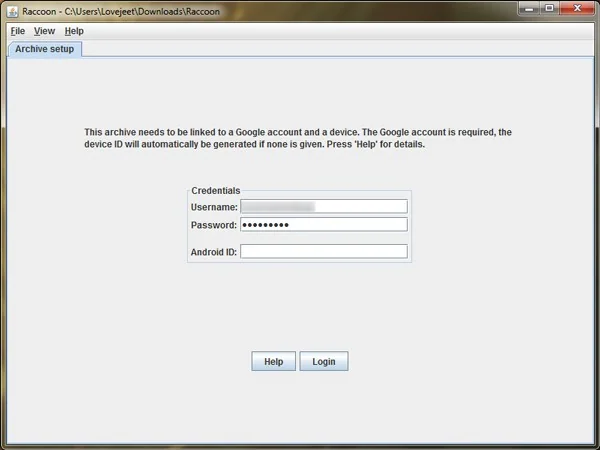
Install the client from Google’s official site and review its current requirements. Some computers may need virtualization features enabled. This is a supported way to play selected games; it is not a general Android phone emulator and does not promise to run every app in your phone library.
For other apps, try the official web or desktop version
Many services provide a website or Windows app. Check the developer’s official site or Microsoft Store for software made for Windows. A web version may be easier to update than an Android package used through an emulator. If a service depends on a mobile-only feature, check the provider’s support documentation.
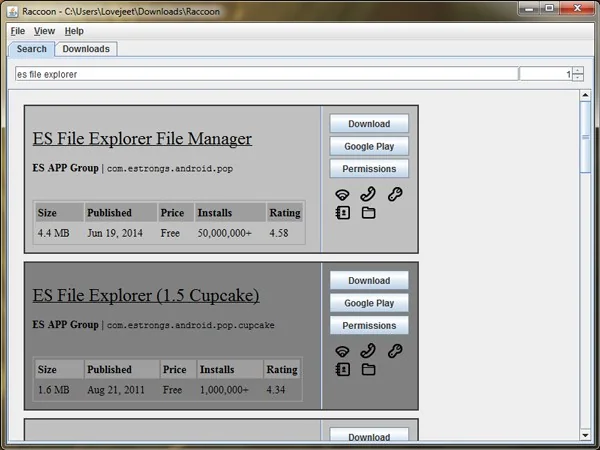
Some Chromebooks support Android apps through Google Play. Google notes that availability depends on the Chromebook, and work or school administrators may restrict the store. A Chromebook is not a Windows PC, but it can be a supported way to run certain Android apps on a larger screen. Verify the exact model before buying for this purpose.
Why APK downloads need care
An APK is an Android installation package, not a Windows program. A familiar app icon does not verify who built the file. Installing packages from unknown sources can expose an Android device or emulator to modified software. Prefer Google Play or the developer’s verified channel and leave Play Protect enabled on Android devices.
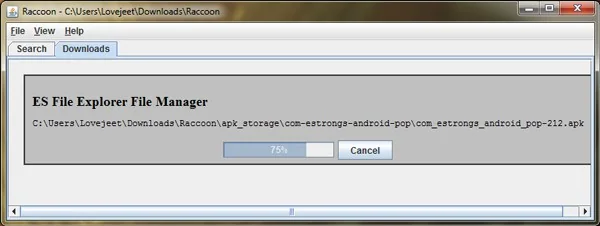
Avoid pages that promise paid apps for free, “cracked” versions, or ask you to disable security checks. Such files may violate terms, contain unwanted code, or steal credentials. Never enter financial or account information into an app copied from an unverified source.
Choose a supported route
Use Play Games on PC when the title is in its catalogue and your computer meets the requirements. Use the official web or Windows app for general services. Consider a Chromebook when it supports the Android app you need. If none of these options works, ask the developer about a desktop version instead of relying on an unknown emulator.
The 2014 APK method is now an archive. Check current documentation for the device and app, and choose a clear install path that can receive updates and be safely troubleshot.

